
WordPress Child Theme
A child theme serves as an extension of the parent theme, inheriting its attributes and functionalities.
Why do we need a child theme
The purpose of a child theme is to allow users to customise the options and add additional changes without editing the core files of the parent theme. Having a child theme is important to not lose the changes when updating the parent theme. It is considered as the safest way to make any changes to the theme that is in active state.
How to create a child theme manually with simple steps
Below are the step-by-step instructions to create a child theme manually in WordPress through dashboard
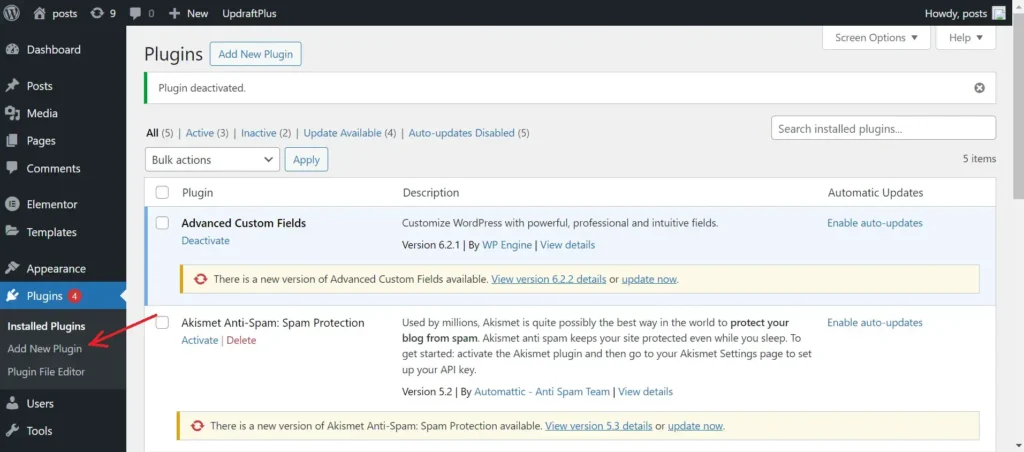
1. Log in to WordPress Dashboard, Go to plugins -> Add New search for File Manager
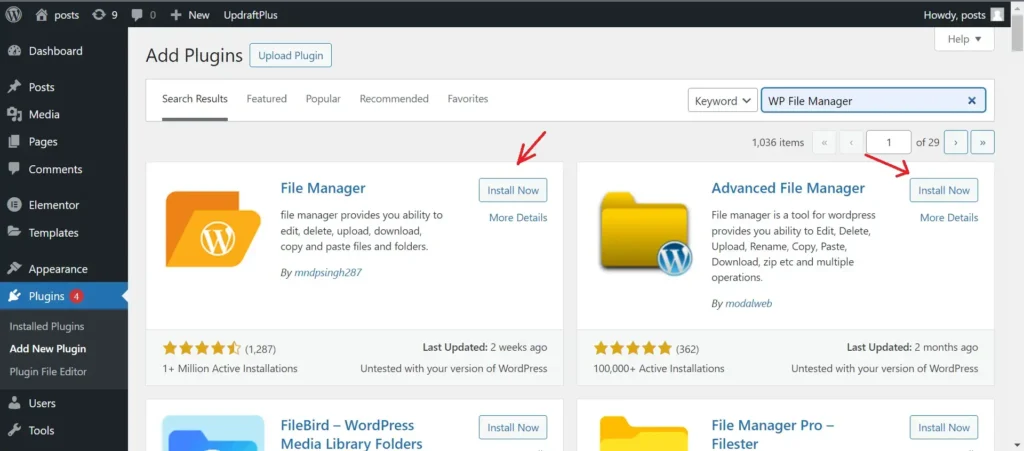
2.You will find below suggestions. Click on Install Now and activate any plugin
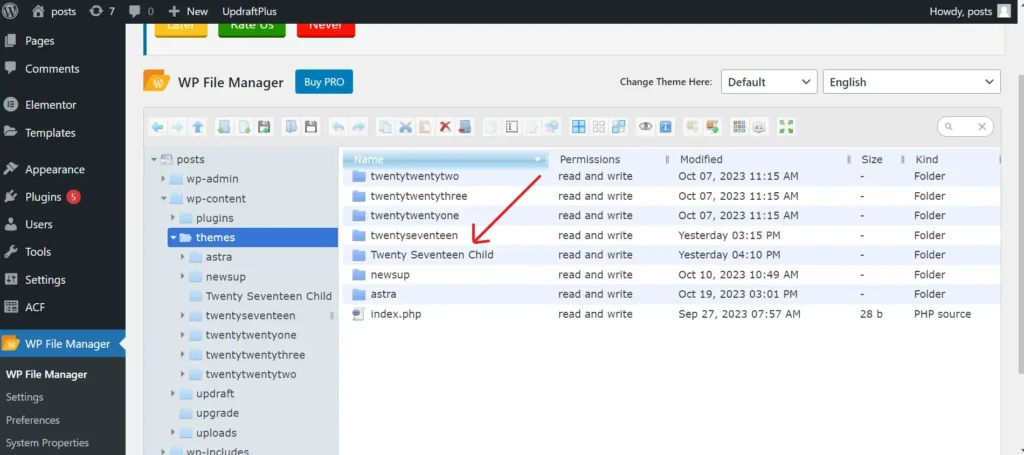
3. Go to WP File Manager and navigate to /wp-content->themes and find the theme you wanted to add a child theme (In my case it is Twenty Seventeen)
4. Create a folder with the same name as the parent theme and add the word child (In my case it is Twenty Seventeen Child)